
Free on iPhone
Three photos. Six metrics. A routine for what needs it most.
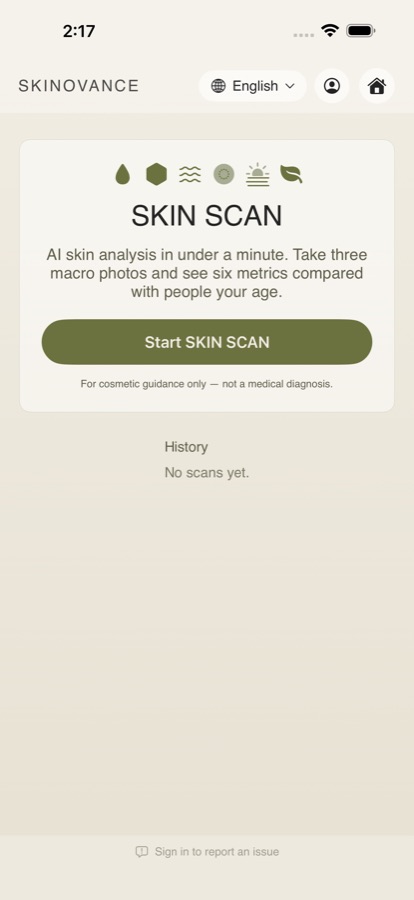
Skinovance turns three close-up photos into a clear read on your skin — and a short list of products worth trying. The analysis runs on your phone, in under a minute.

How it works
One guided run, start to finish.
No kiosk, no appointment — just your iPhone's camera and a minute.
-
1
Take three photos
Forehead, cheek, nose. Skinovance talks you through each one, tells you exactly how far to hold the phone, and counts you down so the camera is in position before it fires.
-
2
See where you stand
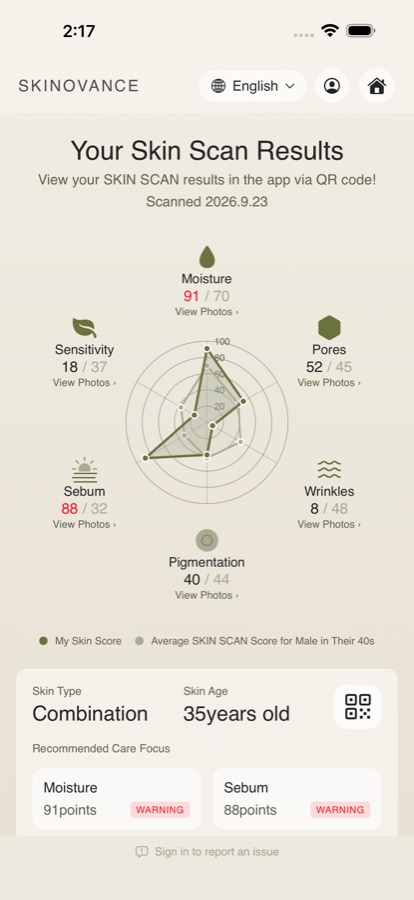
Six metrics, each scored and plotted against the average for your age group and gender — so you can see what stands out instead of guessing.
-
3
Get a routine
Suggestions matched to the two metrics that scored highest, plus a sunscreen for your skin type. They open in your browser; nothing is sold inside the app.
What it measures
Six metrics, compared with people your age.
Every score runs 0–100, where higher means more concern — Moisture 90 means very dry skin, not very hydrated skin.
- MoistureDryness and flaking
- PoresSize and visibility
- WrinklesFine lines and creases
- PigmentationUneven tone and spots
- SebumOil and shine
- SensitivityRedness and irritation
It shows its working
Not just a number.
Tap any metric to see your own photos with what the app actually measured drawn on top — pores, spots, fine lines, shine — plus false-colour views for redness, texture and pigmentation.
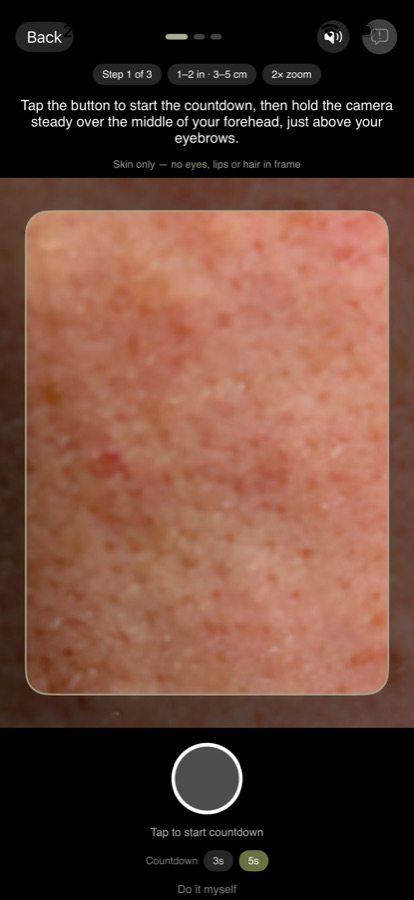
Tells you how to hold it.The distance is worked out from your own camera, so it differs by model. Compared, not just scored.Your six metrics against the average for your age group and gender. 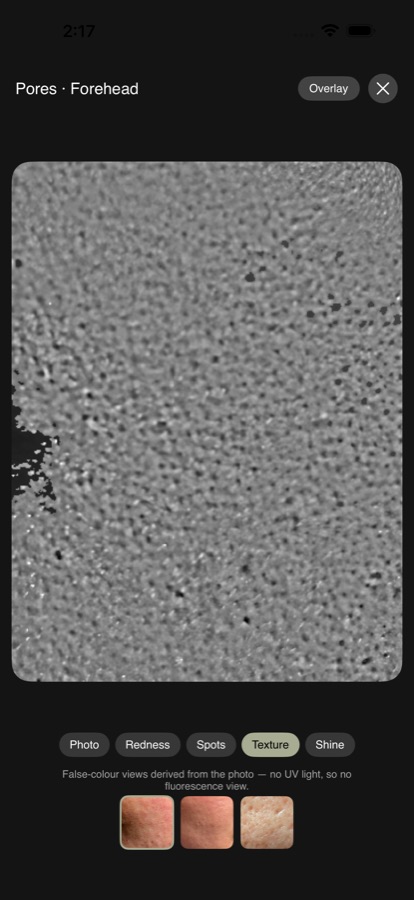
See what it measured.Your own photo with the detections drawn on it, and false-colour views. 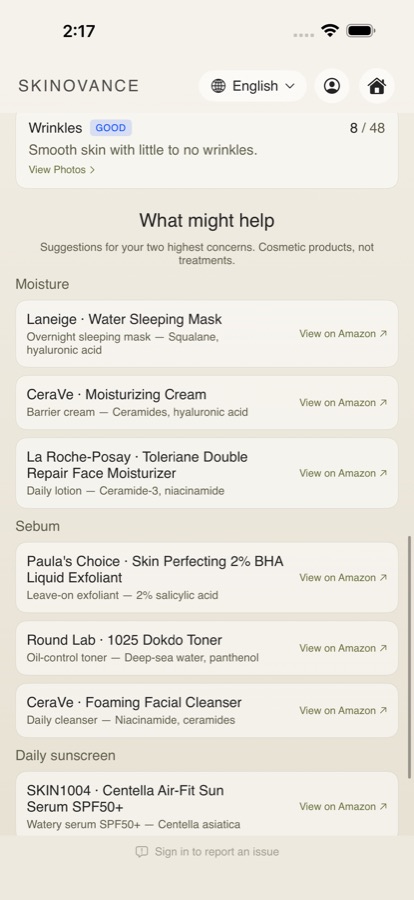
A routine for what needs it.Matched to your top two concerns, plus a sunscreen for your skin type.
Your photos stay on your phone.
The analysis runs entirely on your device. Your photos, your scores and your history never leave it, and there's no account to create in order to scan.
Signing in is optional — it only unlocks Report an issue, so a question about a score has somewhere to be answered. You can delete your account, and everything it ever sent us, from inside the app. Privacy policy
Guided, or do it yourself.
Spoken step-by-step guidance is on by default, with the voice switchable off and a longer countdown if three seconds feels rushed.
Manual mode lets you take the three photos yourself, or pick them from your library.
Get Skinovance
Scan the code, or tap the button.
Point your iPhone camera at the code to open Skinovance in the App Store. Free, for iPhone on iOS 17 or later.

FAQ
Questions, answered.
Are my photos uploaded?
No. The analysis runs on your phone and your history stays there. Photos are only sent if you file an issue report, and only then.
Do I need an account?
No. Scanning, your results and your history all work signed out. Signing in is only needed to send an issue report, so there is somewhere to reply to.
My photos look blurry.
Almost always distance. Follow the distance shown on the capture screen for your phone rather than holding it as close as possible — phones without an ultra-wide lens (such as iPhone 16e) need about six inches.
Why these products?
They're matched to the two concerns your scan flagged highest, plus a sunscreen for your skin type. They open Amazon in your browser; nothing is bought inside the app. We may earn a commission if you buy after following a link.
Is this a medical diagnosis?
No. Skinovance offers cosmetic guidance only. It is not a medical device and does not diagnose or treat any condition. If something on your skin concerns you, see a clinician.
What do I need?
An iPhone running iOS 17 or later, with a rear camera. The app is in English, 汉语 and 한국어.
More in Support.